
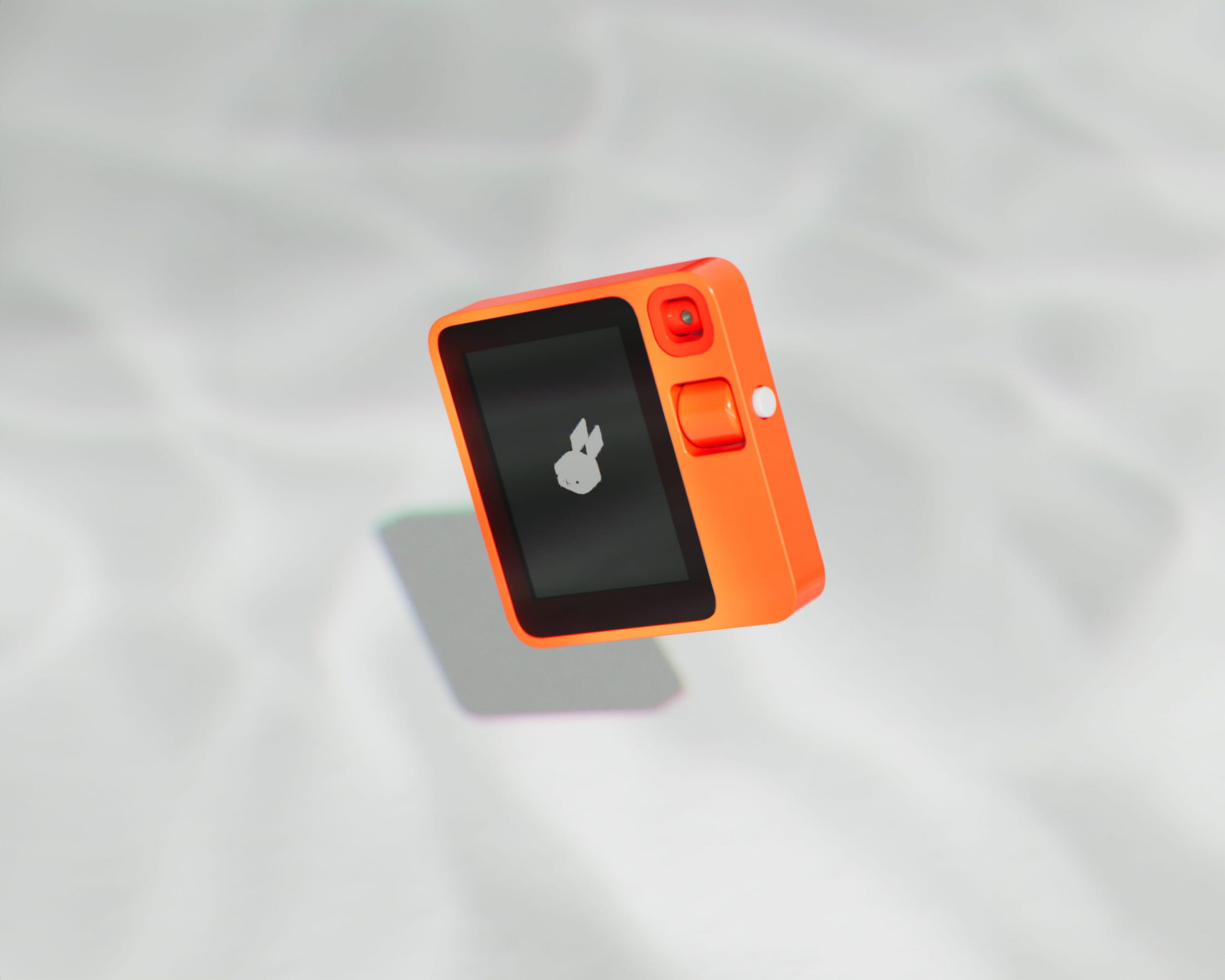
I Bought a Rabbit R1 in 2026 So You Don’t Have To
I’ll be upfront with you: I nearly bought this thing on pre-order.
The concept grabbed me immediately. The style of the device, the fact that Teenage Engineering had a hand in designing the shell, a Rabbit in the GUI (Which we clearly love here), it had all the hallmarks of something genuinely interesting. I was this close to pulling the trigger. As luck would have it though, I held off, life got in the way, and the Rabbit R1 drifted to the back of my mind entirely.
Then the launch happened. And everyone started receiving their devices. And that’s when the cracks started showing.
The device barely had any features. It was clumsy to navigate. Tech YouTubers were lining up to report that there was, and I’m paraphrasing here, “hardly even a device to review.” We later found out the R1 was essentially running an Android app on a custom AOSP build, which naturally raised the obvious question of why this couldn’t just be a mobile app. And honestly? I was pretty on board with that take. Rabbit even tried to answer this question, however it still didn’t really sway the public, and that was that, the damage was done.
Right, So Why Did I Buy One in 2026?
Because I’m the kind of person who buys a Rabbit R1 in 2026, apparently.
The device popped back into my head earlier this year, so I decided to check in on where things stood. I came across their new keynote where they address the rocky launch pretty candidly and talk about the work they’ve been quietly doing to improve the R1 and in fairness to them, they have. It’s considerably more functional than it was at launch. The touchscreen is working, there are new apps, and it genuinely feels more like a standalone device now rather than an expensive prototype. They’ve also added OpenClaw integration, which I haven’t properly dug into yet, so look out for a follow-up article on that one.
Sold. I decided to buy one and test it myself.
I sourced an open but unused device on eBay for £100 including shipping. Prices for these things fluctuate quite a bit in the UK, so £100 felt reasonable enough. I did miss out on one listed at £80 by mere seconds, but looking back I think I came out ahead, the condition of the one I got was significantly better.
Getting It Set Up
Setup was fairly painless. You create an account over at login.rabbit.tech, connect to your Wi-Fi, run the update, and you’re away. Straightforward stuff.
The first thing I noticed was the camera rattle. The moment you pick the device up and move it, there’s this annoying loose rattling from the camera assembly that makes the whole thing feel considerably cheaper than it should. That would be mildly irritating on its own, but it’s made worse by the fact that the R1 has a built-in app called R-Cade, a sort of gumball machine for digital faces, that literally requires you to shake the device to open your gumball. Every single time. So the rattling isn’t just a background annoyance, it’s actively part of the experience. Am I willing to forgive this and stop moaning about it in the article… No, much like people that type “hmmm” in text messages, this was firmly lodged in the part of my brain that makes me want to drown things.
The Battery Life Is, To Put It Politely, Shit
Shocking. Genuinely shocking. I’m watching the percentage drop in real time while doing what I’d consider to be fairly mundane tasks. This isn’t the kind of battery drain where you notice it’s lower at the end of the day you can see it happening. For a device that positions itself as something you’d actually carry around and use, this is a significant problem. I thought this might just be me receiving a faulty device, perhaps it had been used and the buyer neglected to tell me, but no… it’s a known issue. In fact a lovely Redditor went out of their way to design a new back plate for the device so they could put in a battery that would last more than 5 minutes. I’ve linked the case below if you fancy a go at the mod.
The Spotify Situation
I connected Spotify via the browser, went to test it on the device, and it confidently told me it wasn’t connected. Fine, I thought, maybe it just needs a moment. I waited. I waited longer. Still not connected.
I rebooted.
Everything loaded sideways and in terminal mode, which then refused to rotate. This, I was relieved to discover, is a known bug (you might start noticing a pattern here, in fact this article will probably use the term “known bug” more than any other device review on the internet) the fix being to disable terminal mode and reboot again. Back in business, and of course, nobody wants to use the built in terminal mode feature anyway. (You can’t see my face right now, but I’m rolling my eyes sarcastically).
Launched Spotify. It started. No audio. To paraphrase the inspirational Tony the Tiger, “Great”.
After some troubleshooting, forcing Spotify to close on my phone, and a bit of perseverance, I eventually got audio out of it. But the time and friction involved was way beyond what it should have been for something as basic as streaming music.
And just to be clear these aren’t the frustrations of someone who’s unfamiliar with technology. I co-run Debauched Tea Party. I know my way around a device, I have broken more than one in my time. These are just genuinely irritating bugs.
The Intern App — The Bit They’re Actually Excited About
Setting all of the above aside, I was genuinely curious about the Intern feature. It’s a new app that lets you audibly vibe code new apps for your R1, you describe what you want, and it builds something that vaguely resembles it and achieves nothing of consequence. Conceptually, it’s a fun idea and arguably the closest the R1 gets to its original promise of being a truly different kind of device.
Here’s the thing though. The original promise and marketing pitch for the Rabbit R1 was that it was a subscription-free device. That was a core part of the sell, right?
I appreciate the Intern app is a new addition, but given the state of the launch and the still fairly limited day-to-day usability of the R1, I’d assumed new features like this would be folded into the existing service, you know, to create something that actually resembles the sales pitch. They are unfortunately not.
When I logged into Rabbit Hole, I had 3 credits for the Intern app. These do not renew automatically. The pricing breaks down like this:
- £29.99 for 3 credits, pay as you go
- £69.99 per month (billed annually) for 30 credits
From what I can gather, what you’re essentially paying for is a connection to OpenAI being used as an agent to write new Rabbit apps. Competing vibe coding tools like Cursor cost a fraction of this for what amounts to significantly more, even at a data processing level alone, AgentWP my automated SEO tool which connects to OpenAI, scrapes an entire website and writes meta descriptions, titles and Alt Text, costs less than $0.03 per run. £69.99 is a hard sell and not one I can personally justify paying.
There’s also a Creations app where community-built apps are stored and available to download, and while that’s a nice touch, the apps on offer aren’t exactly setting the world on fire just yet. That’s not a dig at the community they’re working with what they’ve got and what they’ve got is apps that resemble something that would run on Nokia’s Symbian OS in the early noughties. Are the apps useful? Not particularly, do they at least look good? Also no.
So, What Is It Then?
The Rabbit R1, as it stands in 2026, is a fun little device. It works well enough as an AI assistant for basic questions. You can set alarms and reminders, take photos (with the rattly camera, at admittedly potato quality, auto-converted to AI Ghibli style images, that resemble a Boomers Facebook Feed), do two-way conversation translation which is genuinely a decent feature that I would use, and a handful of other basic tools, which are so memorable that I cannot name them or be bothered to take the time to turn the device on again to look.
The problem is that I can do every single one of these things on my phone, and faster.
The thing that’s supposed to differentiate the R1, the Intern app, the ability to create your own apps is priced in a way that makes it difficult to justify, and the resulting apps don’t quite live up to the premise yet. So despite it being a more capable device than it was at launch, I still come away with a bad taste in my mouth.
Where Does It Go From Here?
Here’s where it gets genuinely interesting.
I’ve started thinking of the Rabbit R1 as the Bethesda of AI Companions world a buggy, minimum viable product shipped into the wild and then quietly improved by its community. And the modding scene around this device is more active than you might expect.
The R1 can run a full Android install via CipherOS, or even Ubuntu Touch. There are 3D-printable replacement back shells floating around. There’s even a full replacement case designed to accommodate a larger battery and, yes, fix the camera rattle, praise be to you dear Printables user!
What I’d love to see, and what feels like the natural direction, is a hybrid approach, a full Android install with the R1 Launcher (the app that delivers the RabbitOS experience) bundled in alongside it. That would open up the SIM slot for calls and messages, which currently does nothing other than data out of the box and seems like a waste. It would allow users to fill the gaps in the Rabbit software with App Store apps built by actual developers rather than the hallucinating AI that misidentified Shrek as the Mona Lisa and argued for 15 minutes with a user that there were only two R’s in Strawberry… I digress. Giving users the Rabbit experience backed by a full Android install would make this device feel complete in a way it currently doesn’t.
I’m not asking for the Rabbit app on my smartphone, I simply want to use the android features that we all know are tucked away under that R1 launcher.
Will that happen officially? Probably not. But I’d like to find out if it’s still achievable through modding.
When the R1 first launched, the launcher was quickly ripped and running on other devices. But as interest cooled and the software updated, I’ve struggled to find any recent news on whether this is still viable with Rabbit OS 2. That’s my next rabbit hole to fall down (I’m sorry).
The Bottom Line
I like the RabbitOS interface. It’s cute, it’s quirky, it’s genuinely enjoyable to poke around in. The device has character. But character only gets you so far when the battery is draining in front of your eyes, Spotify needs three reboots and a small prayer, and the headline new feature costs more per credit than a full-fat coding subscription and enough mountain dew and cheetos to see you through a 48 hour code spree, hell you could probably just hire a developer on Fiverr for less.
The R1 is a device with a lot of potential that in my opinion the manufacturers have tried everything to avoid finding.
If you’re curious, the awesome-rabbit-r1 GitHub repo is a solid starting point for what the community has built. And if the battery situation is bothering you as much as it did me, this Reddit thread on the battery upgrade mod is worth a read.
If you would like to build your own AI companion, why not have a look at this project. I was able to spend £20 on a ESP32 board with CYD and a speaker, it’s not attractive without a case and the stock UI is no match for the R1, however it was able to outperform Rabbit R1’s built in AI response times quite drastically. I’ll likely do a full article on this device once it is finished.